The Real Way to Track Your Shop’s Rank Across Different Seattle Zip Codes
In the high-stakes world of Seattle commerce, proximity isn’t just a convenience – it’s the ultimate currency. I’ve seen it happen a thousand times: a business owner in Ballard sits in their office, types their services into Google, and sees their shop sitting pretty at #1. They assume they’ve won the SEO game. But then, a potential customer three miles away in Queen Anne performs the exact same search, and that Ballard shop is nowhere to be found. This is the “Seattle Proximity Trap,” and it’s the primary reason why traditional rank tracking is failing local entrepreneurs.
The reality is that Seattle is a city defined by its geography – the hills, the waterways, and the distinct neighborhood boundaries that create algorithmic “fences.” A business ranking #1 in the 98107 zip code might be invisible in 98119. With data showing that 67% of Seattle consumers rely on Google Maps to find local businesses, being invisible in even one neighboring zip code means leaving a massive amount of revenue on the table. To dominate the 206, you have to stop thinking about “Seattle” as a single entity and start thinking about it as a collection of hyper-local micro-markets. This requires a fundamental shift from static reporting to dynamic, geo-spatial analysis.
For more on how this works, you might want to look at How Most Rank Trackers Give Seattle Business Owners a False Sense of Security. Understanding the limitations of your current data is the first step toward actual growth.
Why Traditional Rank Tracking is Lying to Seattle Business Owners
For years, the standard for “local SEO” was a simple list: you’d track a keyword like “plumber Seattle” and get a report saying you were #3. But where was that search performed? Was it from a desktop in a skyscraper downtown? A smartphone at a coffee shop in West Seattle? Traditional rank trackers use a “Point-in-Time” or “Single-Location” methodology. They ping Google from a specific server or a single set of coordinates and tell you where you rank at that exact spot. This is fundamentally flawed because Google’s local algorithm is built on three pillars: Proximity, Relevance, and Prominence.
Proximity is the most volatile of these factors. Google wants to provide the most convenient solution to the user. If a user is standing on the corner of Broadway and E Pine St, Google will prioritize businesses within a few blocks of that location. If you are tracking your rank from your home office in Shoreline, you aren’t seeing what your actual customers are seeing. This discrepancy is why your local SEO report might be “green” while your phone isn’t ringing. You are likely suffering from a lack of visibility in the areas that matter most. Research indicates that 78% of local mobile searches result in offline purchases – if you aren’t tracking accurately across different zip codes, you are essentially gambling with your marketing budget.
The shift from traditional tracking to “Geo-Grid” tracking is the only way to get the truth. While traditional tools give you a single data point, geo-grid tracking gives you a map. It shows you exactly where your influence ends. You might find that your google business profile seo is working perfectly within a two-mile radius, but completely drops off once you cross the Ship Canal. This is the level of detail required to compete in 2026. If you’re curious about the specifics of these inaccuracies, read more about Why Your Local SEO Report is Lying About Your Actual Seattle Map Rank.
The Geo-Grid Revolution: Visualizing Your Reach in the 206
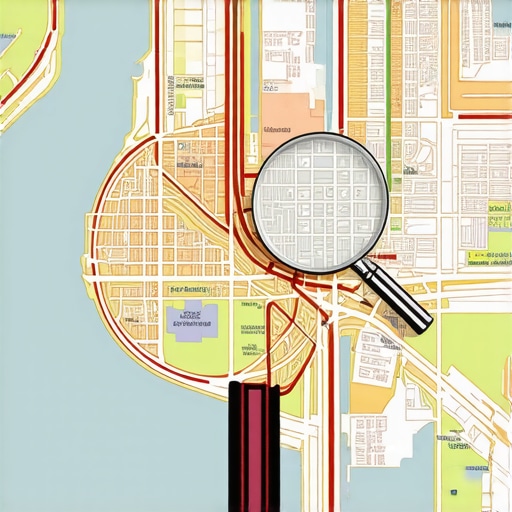
Imagine a map of Seattle overlaid with a grid of dots, like a digital pegboard. Each dot represents a specific set of GPS coordinates. A geo-grid scan pings Google from every single one of those dots simultaneously to see where your business ranks for a specific keyword. This is the “Geo-Grid Revolution.” Instead of a spreadsheet, you get a heat map. Green dots (1, 2, or 3) mean you are in the Map Pack. Red or yellow dots mean you are buried on page two or three of the maps results.
In a city like Seattle, this visualization is vital. You need to see how you rank at the corner of NE 45th St and University Way versus the Space Needle. The topography of Seattle – the way Lake Union splits the city – creates unique search behaviors. A person in South Lake Union is unlikely to travel to West Seattle for a quick service, and Google’s algorithm knows this. By using a specialized google maps rank tracker, you can see these “ranking boundaries” in real-time. You might discover that your business dominates the 98105 (U-District) but is non-existent in the 98103 (Wallingford/Fremont), despite them being adjacent.
This data allows you to move away from “spray and pray” marketing. If the geo-grid shows a “dead zone” in a high-value zip code like 98121 (Belltown), you can tailor your SEO strategy specifically for that area. You can stop wondering why your traffic is dipping and start seeing the physical “walls” where your ranking drops off. This is the difference between a generalist approach and a surgical strike. In the 206, where competition is fierce and the cost per click is high, this level of precision is the only way to maintain a positive ROI.
Top Tools for Zip-Code Level Tracking in Seattle
As a dot-com survivor who has seen tools come and go, I only care about what works in the field. When it comes to tracking your rank across Seattle’s unique zip codes, you need software that can handle high-frequency, multi-point scans. Industry standards like Local Falcon and Grid My Business have led the way in geo-grid technology, but the landscape is constantly evolving. These tools allow you to set a center point (your business) and then expand a grid (e.g., 13×13 or 15×15) over a specific radius.
However, simply having the tool isn’t enough; you need to know how to interpret the data. I’ve seen businesses spend thousands on national SEO while their map pin was “ghosted” three blocks away because they didn’t understand how to use their local seo software correctly. You need a tool that doesn’t just show you where you are, but also who is beating you at each specific grid point. If “Competitor A” is taking the top spot in the 98109, you can click on that specific dot and see exactly what their profile looks like compared to yours. This is competitive intelligence at its finest.
When selecting your toolkit, look for features like “Trend Analysis” (to see if your rank is improving over months) and “Competitor Comparison.” If you are looking for a curated list of what actually works for our local market, check out our guide on The 3 Local SEO Tools We Actually Use to Beat Seattle Competitors. Using the right GMB ranking tools is the foundation of any successful local campaign.
How to Audit Your Seattle Map Profile for “Dead Zones”
Auditing your profile for “dead zones” is a systematic process. You aren’t just looking for where you rank; you are looking for the *pattern* of where you stop ranking. Follow this step-by-step guide to identify the leaks in your Seattle visibility:
- Step 1: Run a 13×13 Grid Scan. Set your business as the center point and a radius of 5-10 miles. A 13×13 grid gives you 169 data points, which is plenty to see the “shape” of your ranking.
- Step 2: Identify the “Drop-off Point.” Look at the map. Is there a specific street or landmark where your green dots turn to yellow? In Seattle, this often happens at the bridges. If you rank well in 98102 (Capitol Hill) but drop to #10 in 98112 (Madison Park), you’ve found a dead zone.
- Step 3: Check Competitor Density. Click on the dots in your dead zones. Who is ranking there? Often, you’ll find a competitor who has a higher “Prominence” score in that specific neighborhood, even if their office is further away.
- Step 4: Analyze Search Intent by Zip Code. Are people in 98104 (Pioneer Square) searching for your services differently than those in 98199 (Magnolia)? Use your audit tool to see if keyword variations change your rank across the grid.
This audit process should be performed monthly. Seattle is a fast-growing city with new businesses opening every week. A “dead zone” can appear overnight if a new competitor optimizes their profile better than you. For a more comprehensive approach, you can follow The 10-Minute Audit to Find Every Leak in Your Seattle Business Listings. This will help you identify if your NAP (Name, Address, Phone Number) data is inconsistent, which is a common cause of ranking drop-offs.
3 Tactics to Expand Your Ranking Radius Beyond Your Front Door
Once you’ve identified your dead zones through geo-grid tracking, you need to take action to “push” your green dots further out. You can’t change your physical location, but you can change how Google perceives your relevance to surrounding zip codes.
Tactic 1: Hyper-Local Content
Google looks for signals that you are active in specific neighborhoods. If you want to rank in the 98107, your website and google business profile seo should mention Ballard-specific landmarks, events, or projects. Don’t just say you serve “Seattle.” Say you provide “emergency plumbing for historic homes in Ballard and near the Hiram M. Chittenden Locks.” This creates a “Relevance” bridge to that specific zip code.
Tactic 2: Proximity-Defying Review Signals
One of the strongest ways to expand your radius is to get reviews from customers located in your target dead zones. When a customer from Queen Anne leaves a review and mentions their neighborhood, Google associates your business with that location. Encourage your team to ask for reviews specifically from clients in those outlying zip codes. These “geo-tagged” reviews act as social proof to the algorithm that you are a prominent player in that area.
Tactic 3: Localized Backlink Strategy
Standard SEO focuses on high-authority domains. Local SEO focuses on local relevance. A backlink from a neighborhood blog in West Seattle or a local community center in Columbia City is worth more for your map rank than a generic backlink from a national site. These links signal to Google that you are an integral part of the local ecosystem. To understand why this is more important now than ever, read Why Seattle Map Rankings Shifted to Hyper-Local Pins in 2026.
Conclusion: Stop Guessing, Start Mapping
In 2026, “near me” is the only search that matters for local businesses. If you are still relying on old-school, single-point rank tracking, you are operating with a massive blind spot. Seattle’s unique geography and competitive market demand a more sophisticated approach. By embracing geo-grid technology and focusing on zip-code level data, you can stop guessing where your customers are and start appearing exactly where they are looking.
The “Seattle Proximity Trap” is only a trap if you don’t know it exists. Now that you have the tools and the tactics to visualize your reach, it’s time to audit your profile and reclaim your territory. Don’t let a competitor in the next zip code steal your leads simply because they have better data. Stop guessing, start mapping, and dominate the Seattle Map Pack. If you’re ready to see your true rank, run a geo-grid audit today or contact us for a professional deep dive into your local visibility.